Windrose on Flux
On the Decentralized Cloud
Host Your Windrose Server on the Decentralized Cloud
Host your own Windrose dedicated server on the Flux decentralized cloud. Set sail, explore, and conquer. Deploy across 50+ countries with DDoS protection and 99.9% uptime. Plans from $3.70/month.
Why Choose Us
Experience the power of decentralized cloud infrastructure built on Web3 technology
Instant Deployment
Launch your game server in under 30 seconds with automated deployment
DDoS Protection
Enterprise-grade DDoS protection keeps your server online during attacks

Global Server Network
Choose from 50+ countries worldwide to minimize latency for players

24/7 Monitoring
Real-time performance monitoring with automatic alerts

Pay-As-You-Go Pricing
Only pay for resources you use with transparent, flexible pricing
99.9% Uptime
Distributed network architecture ensures maximum availability

Cost Effective
Save up to 70% compared to traditional cloud providers
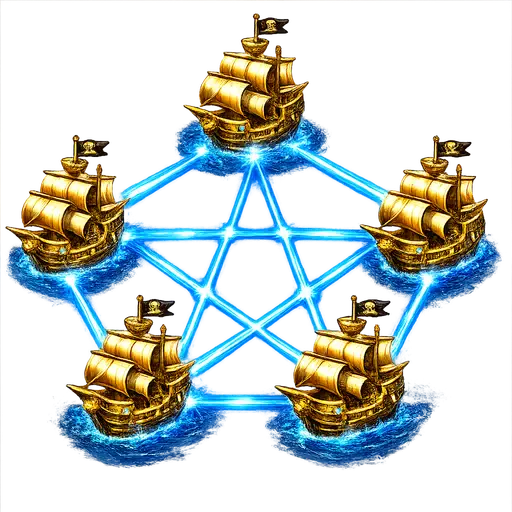
Decentralized Infrastructure
No single point of failure across thousands of independent nodes
Loading pricing plans...
Loading pricing plans...Hosting on a decentralized cloud
Thousands of nodes across 50+ countries, no single point of failure, no vendor lock-in and dedicated resources - see why it matters for your Windrose server.
Why host a Windrose server on Flux?
Windrose is a co-op PvE pirate survival game — an Age of Piracy world of shipbuilding, open-sea exploration, islands, dungeons and treasure that launched into Steam Early Access on 14 April 2026. It is brand-new, and the way you and your friends first experience it will be shaped by the server it runs on. A player-hosted game vanishes the moment the host logs off, taking everyone's session with it. A dedicated server does the opposite: it keeps the sea, your ships, your bases and your crew's progression persistent around the clock.
Hosting that server on Flux instead of a single datacenter means there is no single point of failure. Flux is a decentralized cloud spread across thousands of independent nodes in 50+ countries; if one node has a problem the network routes around it, which is how we back a 99.9% uptime target. You pick the region closest to your crew for the lowest ping, and every plan ships with enterprise DDoS protection at no extra cost.
What a dedicated server actually changes
Windrose multiplayer is invite-code based. On a dedicated server, that code points at a persistent world that never sleeps: friends in other time zones can log in and keep progressing even when you are offline, and nobody loses an evening because the host closed the game. That persistence is the single biggest reason groups move off player-hosting once they are a few hours in.
A dedicated server also gives you admin tooling that player-hosting simply does not have. Every deployment includes WindrosePlus, a server-side framework your players never have to install: a web RCON dashboard, a live sea chart, and configurable multipliers for XP, loot and crafting. Because those multipliers and the difficulty settings are yours to control, you can dial the experience from a relaxed sandbox voyage to a punishing hardcore survival run — and change your mind whenever the crew wants something new. Scheduled restarts, backups and one-click restore are there too, which is what turns a corrupted evening into a five-minute fix. See the best Windrose server settings for the presets we recommend.
Self-hosting vs. a managed server
You can self-host the Windrose dedicated server yourself: it runs on Linux and containerizes with Docker, which is exactly how we deploy it. But it needs roughly 16 GB of RAM, a modern quad-core CPU and about 30 GB of SSD, plus the router, firewall and port-forwarding work you then have to keep maintaining — and the machine has to stay on for the world to stay up. Our managed plans are pre-sized to those requirements and handle the operating system, networking, ports and updates for you. The full numbers are in the server requirements guide, and the setup guide walks through both routes side by side.
Getting in early on a brand-new pirate survival game
Windrose only set sail into Early Access in April 2026, which makes right now the best moment to claim your own corner of the seas. Early Access worlds evolve fast — new islands, ships, systems and balance passes land regularly — and a persistent dedicated server means your crew experiences every update on the same continuous save instead of restarting from a fresh player-hosted session each patch. Being early also means smaller, tighter-knit communities: a private Windrose server is a natural home base for a Discord group, a streamer's viewers, or a handful of friends who want a world that is genuinely theirs. We keep pace with the game's updates so your server stays compatible as Windrose grows.
From deploy to setting sail
- Create a free account with Google, email, or a Flux wallet.
- Pick a plan and a region sized for your crew — a 2-4 player voyage or a full 8-player fleet — close to where your players actually live.
- Deploy. Automated provisioning brings your dedicated server online in about 30 seconds, with DDoS protection and WindrosePlus already enabled.
- Share the invite code from your dashboard and your friends drop straight into your world — no port forwarding on anyone's router. The co-op guide covers the joining steps.
- Set sail. Build ships, raid dungeons and haul treasure while the server keeps everything saved 24/7 — including while you sleep.
Everything is pay-as-you-go: no contract, no lock-in, cancel anytime, and your save data stays portable if you ever want to take it elsewhere. Current plans and what each tier fits are on the pricing page.


Frequently Asked Questions
Everything you need to know about our hosting service
Still have questions?
Join our Discord community →Windrose Hosting Guides
Everything you need to set up, size and share your Windrose dedicated server.